
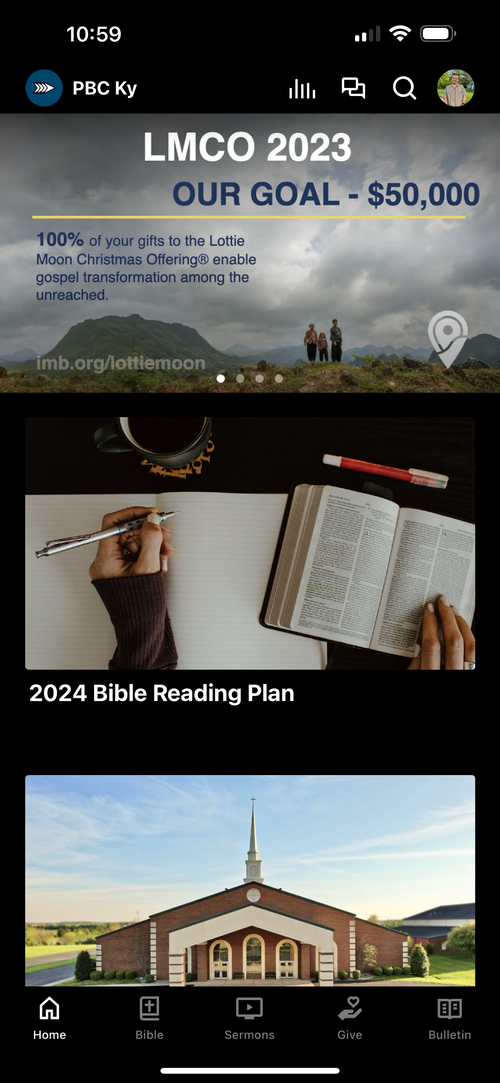
Step 1
Open your Parkway Baptist Church app and look to the bottom screen of the app for the 'Bible' icon. Tap on that icon.
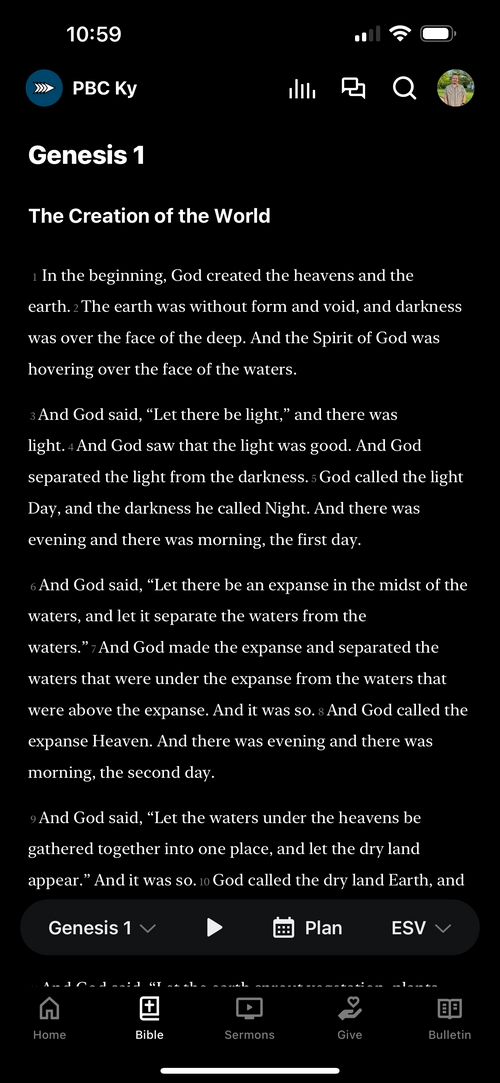
Step 2
Once you have tapped on the Bible icon, a menu will pop up that allows you to select a passage, a reading plan, and your preferred Bible translation. Tap on 'Plan' when you see this menu.
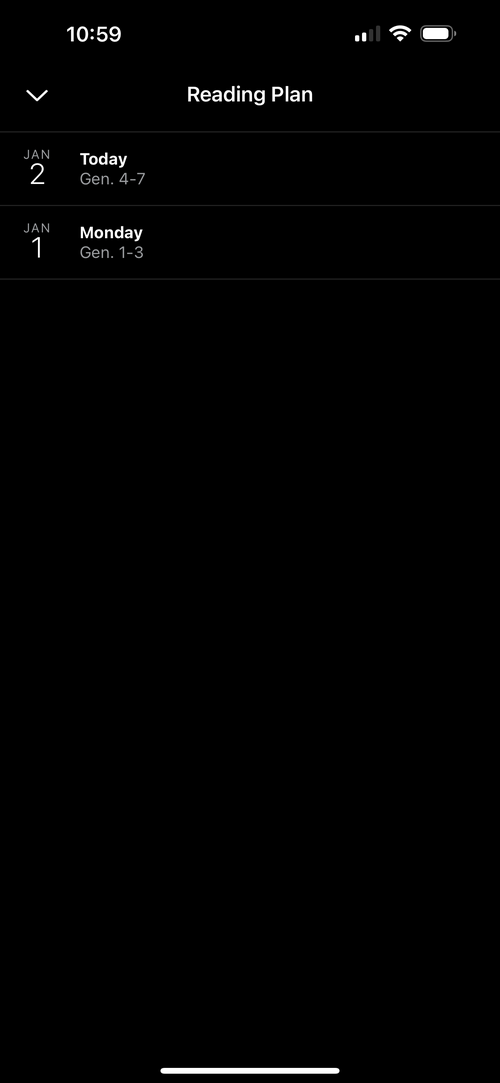
Step 3
When you tap on 'Plan' the menu pictured above will pop up, and allow you to select a day in the reading plan. By default, the plan is set to begin on January 1, but you can start this plan at any point in the year, or jump into the passage labeled 'Today' to read the current passage.
If you have any questions, or problems within the app, please email Evan Sams (evan@parkwaybaptist.com).